

Details
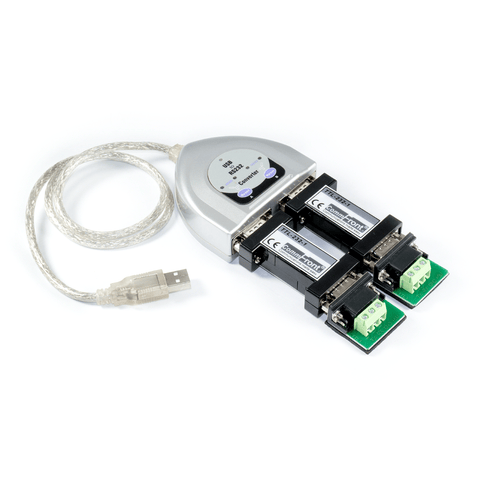
This high-quality, high-performance, port-powered, bi-directional USB to dual TTL converter can be used to convert any standard full-duplex USB port into two full-duplex 5V TTL ports and vice versa. The unit is powered from the USB port and it supports data auto-sensing & self-adjusting, which automatically adjust baud rate, parity, stop bit and other COM port parameters to the devices that they are connected to. Therefore, it requires no external power or baud rate settings. This USB to dual TTL converter uses the latest FTDI chipset and is fully compatible with Windows 11 / 10 / 8 / 7 / Vista / XP / Server2008 / Server2003 / 2000 / 98 (32-bit), Windows 11 / 10 / 8 / 7 / Vista / XP / Server2008 / Server2003 (64-bit), Win CE, Mac, Linux, and Raspberry Pi.
CommFront's products quality is ensured by our ISO-9001 quality control system (Cert No. SG12/04213, strictly certified by SGS), and we back our high-quality products with a 5-year replacement warranty and a 30-day risk-free money-back guarantee.
Features
- USB to dual TTL converter.
- Adds two TTL ports to your USB port.
- 300 to 115.2K Baud operation (auto-sensing and self-adjusting).
- Supports Windows 11 / 10 / 8 / 7 / Vista / XP / Server2008 / Server2003 / 2000 / 98 (32-bit), Windows 11 / 10 / 8 / 7 / Vista / XP / Server2008 / Server2003 (64-bit), Win CE, Mac, Linux, and Raspberry Pi.
- Supports remote wakeup and power management.
- Plug and play (hot-pluggable, data format auto-sensing and self-adjusting).
- Port-powered, no external power required.
- No IRQs required, no IRQ conflicts.
- Surface Mount Technology manufactured to RoHS and ISO-9001 standards.
- CE, FCC, RoHS, and REACH certified.
- 5-year manufacturer's warranty.
Specifications
| Part Number: | USB-232A-1+2xTTL-232-1 |
| Compatibility: | USB 2.0 (backward compatible) and TTL / CMOS 5v level |
| Power Source: | From USB port |
| Current Consumption: | Less than 100mA |
| Baud Rates: | 300 to 115,200bps (Auto-sensing & Self-adjusting) |
| Distance: | USB side: 10ft (3m); TTL side: 10ft (3m) |
| Connectors: | USB side: Type A Male; TTL side: 2x DB-9 Male; 2x Termination Board (DB-9 Female and a 4-Way Terminal Block) |
| Dimensions (H x W x D): | 0.9 x 2.8 x 6.2 in (24 x 72 x 158 mm) (excluding cable) |
| Cable Length: | 2 ft (0.6 m) |
| Weight: | 5.5 oz (155 g) |
| Operating Temperature: | 32ºF to 95ºF (0ºC to 35ºC) |
| Operating Humidity: | Up to 90% RH (no condensation) |
Downloads


Compliances
Safety

WORLD-CLASS TESTING LABS
CommFront products are strictly certified by SGS and/or TUV - the Nationally Recognized Testing Laboratories [NRTLs] in North America (approved by OSHA) and the Notified Bodies in the European Union. Learn More
Quality

DESIGNED & MANUFACTURED TO ISO STANDARDS
CommFront products are designed and manufactured to ISO 9001 standards. Our quality control system is strictly certified by SGS (Cert No. SG12/04213). Learn More
Warranty

100% SATISFACTION
CommFront products have been proven to be reliable. We back our high-quality products with a 5-year replacement warranty and a 30-day risk-free money-back guarantee. Learn More
We Also Recommend
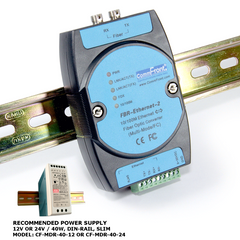
FBR-Ethernet-2 (MM/FC)
10 / 100M Ethernet to Fiber Optic Media Converter (Industrial / MultiMode / FC)
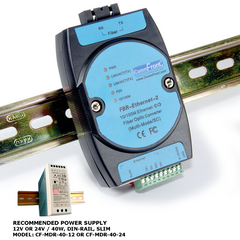
FBR-Ethernet-2 (MM/SC)